
How to Add a Free E-card to Your Order
Four minutes, start to finish. This page walks through adding a free e-card to any Sniff and Shift order, what happens after you pay, and how the card reaches the person.
From a product page
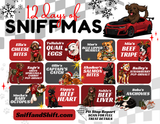
- Open any of our treats, the gift box, or the 12 Days of Sniffmas calendar.
- Under the Add to cart button, tick Add a free e-card for the person getting this. A panel slides in.
- Tap an occasion chip (Christmas, Birthday, Gotcha Day and so on) and pick a look. The preview at the bottom of the panel changes as you choose.
- Fill in the recipient's name, your name, and the message. Headline and sign-off are optional. The counter shows how much of the 500 characters you have used.
- Want a photo on the card? Press Add a photo and pick a JPEG or PNG up to 6 MB. Phone photos work. It shows in the preview right away, and "Remove photo" takes it off.
- Add the recipient's email if you want it sent to them. Leave it blank and you send the link yourself.
- Press Save the e-card. The product goes into your cart with the card attached, and the cart line says "E-card attached".
From the cart
- Open the cart (the bag icon at the top, or the cart page).
- Press Add a free e-card to this order, or the "Add a free e-card" link under a single item if only that item is the gift.
- Choose which item the card goes with, or "The whole order", then fill in the card the same way as above and press Save.
Changing or removing a card
Remove the item from the cart and add it again with a new card, or press the e-card button again and save a fresh one. The old card is never sent and expires on its own after 48 hours.
After you pay
- The card link appears on your order confirmation email and on the order page, next to the item it belongs to.
- The card is locked until the payment clears, usually within a few minutes. Before that the link shows "This card opens once the order is complete."
- Right now you send the link: paste it into a text, an email, or a chat. Email delivery straight to the recipient is being switched on. Once it is, the card goes to the address you entered as soon as the order is paid, and a second note with the tracking number follows when the box ships.
Paper options
If you want something in the box as well, gift wrap is $5, a hand written Hallmark or equivalent greeting card is $5, and a pop-up card is $10. Add them from the cart with Make it a gift: pick a paper and a card from the catalog, and the pop-up cards play a short clip so you can see them open. On the advent calendar and gift box pages use the Gift wrap and Greeting card choices. Your note is written on the card exactly as you type it.
If something goes wrong
- The panel says "Could not reach the card service": wait a moment and press Save again. If it keeps happening, check out without the card and email us the message; we will make the card and send you the link.
- No card on the order confirmation: the item was added before the card was saved. Email us the order number and the note and we fix it.
- Anything else: support@sniffandshift.com. A person reads it.
Back to the e-card page to see every design.